 +1 480 485 7373
 Microsoft Teams
Business Central implementation partner, run by the consultant who scoped it.
A Business Central implementation partner plans, configures and launches Microsoft's ERP for your company, then stays with you after go-live. We run Business Central Essentials or Premium rollouts from a written plan: discovery, configuration, data migration, testing, training and a managed go-live with hypercare. The senior consultant who scoped your project leads every stage of it.
What does a Business Central implementation partner do?
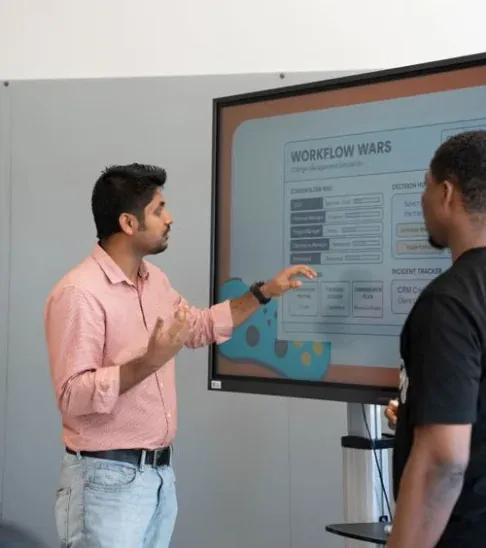
Business Central works out of the box, but it is not ready for your company until someone decides how your ledger, items, customers, approvals and reports should behave inside it. That decision work is what you hire an implementation partner for. Microsoft supplies the software and runs the cloud service. The partner turns your way of trading into setup choices, moves your records across, proves the numbers tie out and teaches each role its daily tasks.
We keep the whole project with one senior consultant. The person who runs discovery writes the blueprint, leads the build and sits with your team at cut-over. Nothing is lost in a handover between a sales team, a project manager and a separate build team, because there is no handover.
We also tell you what not to build. Many requests that sound like custom code can be met with standard setup, a workflow or an app from Microsoft AppSource. Every custom extension has to be retested when Microsoft ships its major updates twice a year, so we write code only when the standard product cannot do the job.

How does a Business Central implementation run, phase by phase?
- 1
Discovery and fit-gap
Workshops with your finance, purchasing, sales, warehouse and production leads trace how an order, an invoice and a period close really move today. You receive a written fit-gap that marks each requirement as standard, configuration, app or extension.
- 2
Blueprint and fixed scope
The blueprint records every design decision: posting groups, dimensions, number series, approval rules, reports and integrations. The scope and the price are agreed in writing from it, before any build starts.
- 3
Configuration and build
We set up your company in a sandbox environment, configure each module, build any approved extensions in AL and connect the integrations the blueprint names.
- 4
Data migration rehearsals
Customers, vendors, items, open documents and opening balances are loaded in trial runs. After each run you get a variance report that compares the legacy totals with Business Central, and you sign it off.
- 5
Acceptance testing and training
Your key users run scripted tests with real transactions from your business. Training is by role, close to go-live, in a sandbox that holds your own data.
- 6
Cut-over and hypercare
A rehearsed cut-over plan loads the final balances and sets the old system to read-only. Hypercare follows, with daily check-ins, quick fixes and help with your first close in the new system.
Who does what during the project?
Which deliverables do you keep after go-live?
- ✓A written fit-gap that classes each requirement as standard, configuration, app or extension
- ✓A solution blueprint that records every setup decision and the reason behind it
- ✓Signed variance reports from each trial data migration
- ✓Scripted acceptance tests your team can rerun before future Microsoft updates
- ✓Role-based training notes for people who join after go-live
- ✓A cut-over checklist you can reuse when you add a company or an entity
What decides how long a Business Central implementation takes?
The length of a project follows its scope, not a template. The main drivers are the number of companies, currencies and locations, whether you need Essentials or Premium features such as manufacturing, the quality of the data in your current system, the number of integrations and extensions, and how much time your key users can give to workshops and testing.
Decision speed matters as much as any technical factor. A project waiting on an approval for a week loses that week. For that reason we set the plan dates in the blueprint once discovery has answered these questions, and we do not quote a schedule before then. Our implementation timeline guide walks through each phase in more detail.
Where do Business Central implementations usually go wrong?
Opening balances that do not tie out
So we run trial migrations and hand you a variance report to sign before cut-over, not after.
A chart of accounts copied over unchanged
Instead, your Business Central implementation partner redesigns accounts and dimensions around the reports you need. As a result, month end stops living in spreadsheets.
Nobody owning the cut-over weekend
The senior consultant who scoped your project runs the cut-over and stays on call while your team posts its first real transactions.
Training that fades before go-live
We train each role on its own tasks close to cut-over, in a sandbox with your data. Then we leave written notes for new starters.
Questions about choosing a Business Central implementation partner
Do we need Business Central Essentials or Premium?
Premium includes everything in Essentials and adds manufacturing and service management. If you do not make products or run service orders, Essentials usually covers you. We confirm the choice during discovery, and our Essentials vs Premium comparison lists the differences.
Can you move our data from QuickBooks, Sage, Dynamics GP or Dynamics NAV?
Yes. Microsoft provides cloud migration tools for Dynamics GP and Dynamics NAV, and data from other systems is loaded with configuration packages. Every load is rehearsed and reconciled before cut-over.
How is the price of the project set?
From the written blueprint. Once discovery has defined the scope, we agree a fixed price in writing before the build begins. We do not quote a number until discovery is done, because the scope decides the cost.
Do we need custom development?
Often not. Most needs are met with standard setup, workflows or AppSource apps. When a real gap remains, we build a per-tenant extension in AL that is designed to keep working through Microsoft's updates.
Who supports us after go-live?
The consultant who led the project runs hypercare and helps with your first close. After that you can move to ongoing support with us or hand the system to your own team with the blueprint and training notes.
Talk to us about your project.
Tell us what you run today and what has to change. A senior consultant replies with a written next step.