 +1 480 485 7373
 Microsoft Teams
Dynamics 365 for manufacturing that shows what each unit really cost to make.
Dynamics 365 for manufacturing usually starts with Business Central for small and mid-sized plants: bills of material, routings, material planning and cost in one system, joined to the general ledger. Larger plants with complex planning or several sites may need Dynamics 365 Supply Chain Management instead. The payoff is not a prettier screen on the shop floor. It is a controller who can explain last month's margin by product, and a planner who stops ordering steel from a spreadsheet.
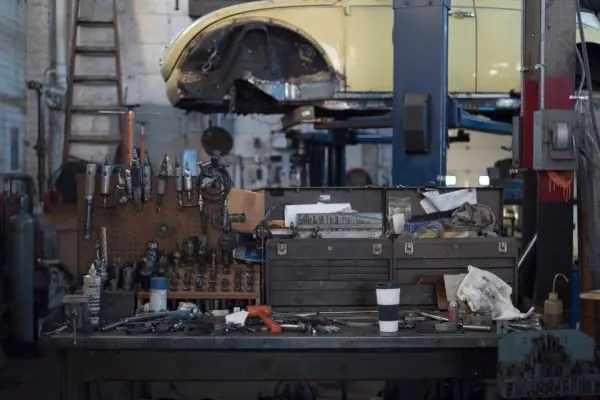
Where a small plant's numbers usually drift
Most manufacturers who call us already have accounting software and a pile of spreadsheets around it. The bill of material lives in an engineering file, and someone estimates labor once a year. Meanwhile, stock carries whatever the last purchase price happened to be. So gross margin looks fine until a physical count moves it by a surprising amount.
Business Central for manufacturing closes that gap. The production order becomes the place where people record material and time. Staff consume components against a specific order. Then they post output with the hours and scrap that went into it. Finally, the gap between expected and actual cost posts as a variance you can trace to a work center or component. Finance stops guessing because the plant is feeding it facts every day.
Discrete, assemble-to-order or process: how Dynamics 365 Business Central fits manufacturing
The ERP tools small manufacturers use most in Business Central
Production BOMs and routings
Multi-level bills of material with version control. Routings list each operation, its work center or machine center, and setup and run times.
- ✓Versioned BOMs and routings
- ✓Scrap percentages per component
- ✓Subcontracted operations with a vendor
- ✓Phantom and sub-assembly levels
MRP and the planning worksheet
The planning worksheet reads demand from sales orders and forecasts and nets it against stock and open orders. Then it suggests purchase and production orders for a planner to accept or edit.
- ✓Demand forecasts by item and location
- ✓Reordering policies per item
- ✓Action messages to reschedule or cancel
- ✓Capacity load by work center
Consumption and output
You can post consumption and output by hand through journals. Or the system can flush them forward or backward, depending on how disciplined the floor can really be.
- ✓Output and consumption journals
- ✓Forward and backward flushing
- ✓Lot and serial tracking
- ✓Scrap and rework recording
Standard cost and variances in Business Central
With standard costing, the gap between what a batch should have cost and what it did cost posts as purchase, material, capacity and overhead variances.
- ✓Standard cost worksheet roll-ups
- ✓Overhead rates per work center
- ✓Inventory valuation reports
- ✓Adjust cost batch job
Signs Business Central is the wrong fit for your factory
- ✓You need finite scheduling that sequences hundreds of orders against tooling, crews and changeovers in real time. Business Central plans capacity. However, a dedicated scheduling add-on does that job better.
- ✓Your process runs on formulas with potency, yield by batch and co-products as the norm. And you will not add a process manufacturing app.
- ✓You run several large plants with shared engineering, quality labs and warehouse automation. Microsoft built Dynamics 365 Supply Chain Management for that scale.
- ✓The shop floor has no way to record consumption and output yet. The software cannot fix a process nobody follows, so that habit comes first.
- ✓Quality management with inspection plans, nonconformance records and corrective actions is central to your certifications, and you do not plan to add a quality app.
- ✓Engineering change control with revision approvals and CAD links must live in the ERP itself, and a separate PLM system is not an option.
How small manufacturers roll out the ERP: routing sheets to first production order
- 1
Clean the item master
Items get consistent units of measure, replenishment systems and costing methods. Then we merge duplicate part numbers before loading anything else.
- 2
Load BOMs and routings
We import engineering data and check it against a handful of products your team knows by heart. That way errors show up in a test rather than on the invoice.
- 3
Set standard costs
Next, the controller agrees material, labor and overhead rates, and we roll them up. So the first variance reports mean something.
- 4
Run planning in a sandbox
We run the planning worksheet against real open orders. Then the planner compares its suggestions with what they would have done by hand.
- 5
Go live on a product family
Where the business allows, one line or family goes first. That keeps the old process available while the floor learns the new one.
When manufacturing moves from Business Central to Dynamics 365 Supply Chain Management
Business Central handles production orders, routings, MRP and standard costing well for one plant or a few. The step up to Dynamics 365 Supply Chain Management makes sense when planning runs across several plants and warehouses, when process or mixed-mode production needs formulas, co-products and by-products, or when the shop floor needs more detailed scheduling. Supply Chain Management is normally paired with Dynamics 365 Finance, so the change touches the ledger as well as the plant. We test whether that step is needed before anyone prices licenses.
Customer-facing teams can add Dynamics 365 Sales for quotes and account plans, and Dynamics 365 Field Service for equipment you install and maintain at customer sites.
Dynamics 365 for manufacturing: owner questions
Do we need the Premium license to manufacture in Business Central?
For production orders, production BOMs, routings, capacity planning and machine centers, yes: those sit in Premium. Assembly orders and assembly BOMs are available in Essentials, which suits kitting and light assembly. Premium applies to every full user in the tenant, so we check which features you really need before you commit.
Can Business Central handle standard costing?
Yes. Items can use standard costing, and the standard cost worksheet rolls costs up from BOMs and routings. Differences post as purchase, material, capacity, subcontracting and overhead variances.
How does it handle subcontracted operations such as plating or heat treatment?
You assign a routing step to a work center linked to a vendor. The subcontracting worksheet then creates purchase orders for that operation. Later, the subcontractor's invoice posts the cost into the production order. This keeps outside processing inside the product cost instead of in a general expense account.
Can the shop floor record time without logging in to the full client?
Yes. Operators can post output and consumption through simple tablet pages, and the mobile app runs on phones too. Some plants also add a shop-floor app from AppSource for clock-in, clock-out and barcode scanning. In an ERP for small manufacturers, we usually recommend starting simple and adding hardware once the process is stable.
When should we look at Dynamics 365 Supply Chain Management instead?
When you run several sizable plants, need advanced warehouse automation, detailed quality management and complex production scheduling as standard features. It is a larger platform with a larger implementation. For a single plant or a few small sites, Business Central is usually the more sensible choice.
Talk to us about your project.
Tell us what you run today and what has to change. A senior consultant replies with a written next step.